Neon Abyss 2 co-op and multiplayer guide
Neon Abyss 2 co-op guide: 4-player online play, loot sharing rules, team resource strategies, crossplay limits and how to keep a run in sync.
Online co-op supports up to four players with personal loot and manual sharing. The October 30 Steam update synchronizes host difficulty and counts weapon-Faith-room free uses and saved deposits/withdrawals per player.
What co-op in Neon Abyss 2 looks like
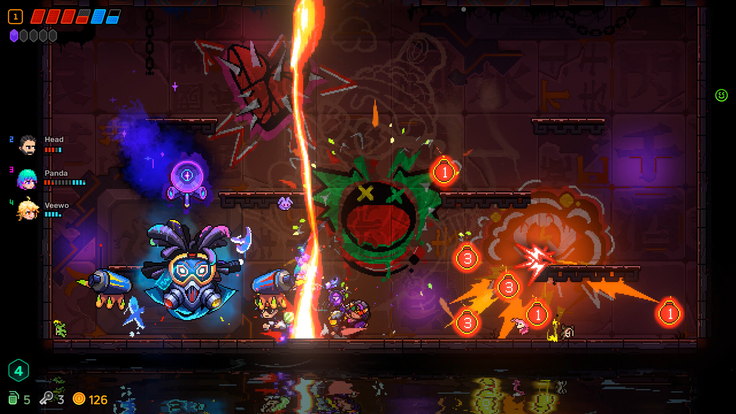
Neon Abyss 2 supports online co-op for up to four players. In the 1.0 version, co-op left beta along with a new streamlined mode, Storm Breach, which is built for the 1-4 player format: back-to-back fights and upgrades instead of full dungeon exploration.
The killer feature is the split: teammates can explore different rooms of the same map at the same time. Send one player left for a treasure room and another down for the shop, and the team re-converges on the floor boss with twice the loot.
Loot rules: no sniping, manual sharing
Co-op loot was overhauled to kill the classic four-player problem — the god item being vacuumed up by whoever clicked fastest:
- Drops are automatically assigned to their original owner when they generate.
- Common drops (coins, bombs, keys) become collectable by anyone after a short delay.
- Artifacts and other special drops stay exclusive to the assigned player until they choose to share.
You can voluntarily hand over your loot to a teammate, so the rules protect you without locking the team down.
Team resource strategies
Pick a team style in the co-op menu. The three strategies are:
| Strategy | How power is pooled | Best for |
|---|---|---|
| Fight Alone | Everything comes from personal resources | Independent players and veteran duos |
| Balanced | Weapon damage bonus splits between personal and team resources | Carrying a newcomer without gutting your own build |
| United Front | Strength shared entirely through team resources | A run treated as one shared build |
Personal saves, Faith and room rewards
In the October 30 Steam update, deposits and withdrawals are recorded separately in each player's personal save. Coordinate a run's resource strategy above without treating another player's deposit record as your own.
- Difficulty synchronizes with the host. Reconnecting restores client Faith without carrying progress between different Faiths.
- Weapon-Faith-room free uses count separately for each player. One player's use is not the whole party's allowance.
- The same Artisan Temple reward round no longer lets several players claim different badges. Room reward limits still apply to curios you unequip and pick up again.
- Great Wonder Block drops no longer snap back after disconnect takeover. Re-entering its room no longer leaves its battle state wrong.
Staying in sync
Co-op used to be the roughest part of the game — 1.0 specifically fixed the worst offenders:
- If the host leaves and you fail to reconnect, you are bumped back to the start of the current floor and can keep playing solo.
- Co-op progress no longer leaks into personal saves, and switching to solo after a disconnect keeps your continuation data.
- Steam cloud backups now capture the main save and its matching progression data together.
- Results screens, invite flows and disconnect notifications on PC were all cleaned up in the 1.0 patch.
Platforms, crossplay and the fine print
- No crossplay. Steam, PlayStation, Xbox and Switch pools are separate. The one exception is partial: PC Game Pass and Xbox share an ecosystem. If your friends are split across platforms, pick the platform the group shares.
- No local co-op or split screen at launch. The developers have said they are not adding split screen for 1.0 and can't promise it later — online is the co-op you have.
- No free chat. The in-game free chat was removed pre-launch over age-rating and moderation law concerns; communication is handled with preset emotes and pings, which the developers say is faster and language-agnostic anyway.
- Game Pass: the game launched day one on Xbox Game Pass (Ultimate, Premium and PC tiers). Console online multiplayer itself still requires the relevant Xbox subscription tier.
Practical co-op tips
- Split roles at the start of a floor. One player clears the critical path, the others harvest side rooms; regroup before the boss door.
- Coordinate anchors, not full builds. Agree on one set (Sky Heist, Lovely Legion) so the team amplifies the same engine.
- Use Balanced when teaching. A newcomer on United Front drags the whole economy; Balanced lets you funnel damage without starving your own run.
- Host with the best connection. Session stability still centers on the host; the new bump-back-to-floor safety net exists precisely because hosts leave.